





Update (06/14/06):
Added the ability to automatically generate animated GIFs via the interface. All GIFs produced are 60 frames in length, and are of the turntable variety. While you can make them whatever size you choose, I'd advise staying at 320x240 (or smaller). Also, the default colours in the interface produce the best results, as other colours cause colour artifacts in the output GIF (at least in my test with colour text labels, I have not tested textured models). GIFs are based on the persp camera only, and use a custom light generated by the GUI, ignoring all other lights in the scene. I find the GIFs produced play best in Firefox.
The GIF capability was mainly an experiment on my part, the practical value of it is yet to be determined. Certainly you wouldn't want to upload all your approval images as animated GIFs! But you may find circumstances where it's useful.
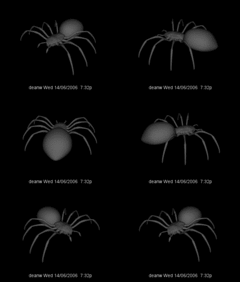
Here's an example animated GIF:

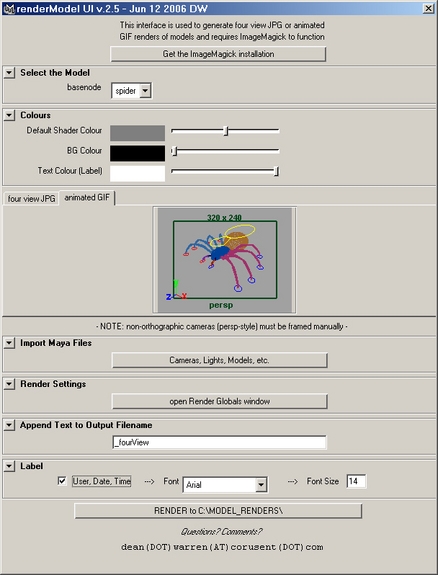
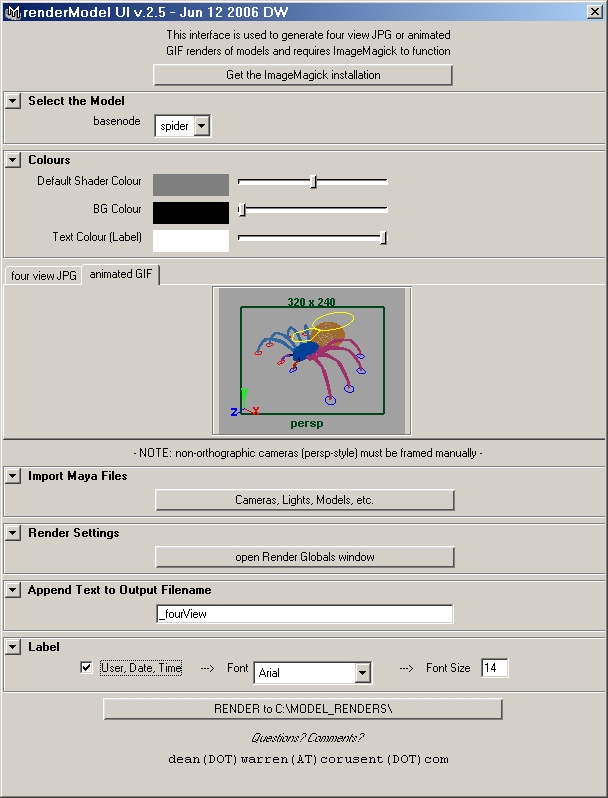
...here's what the GUI looks like in "animated GIF mode":

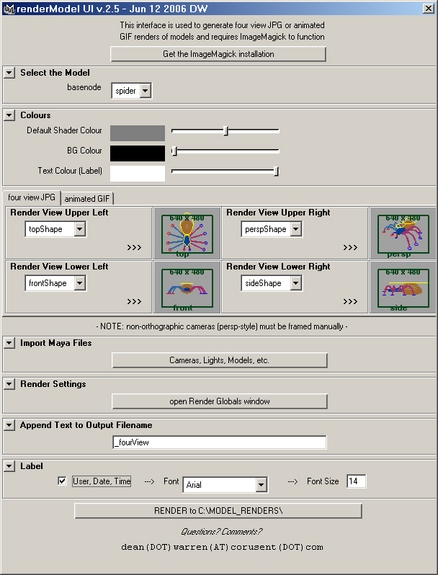
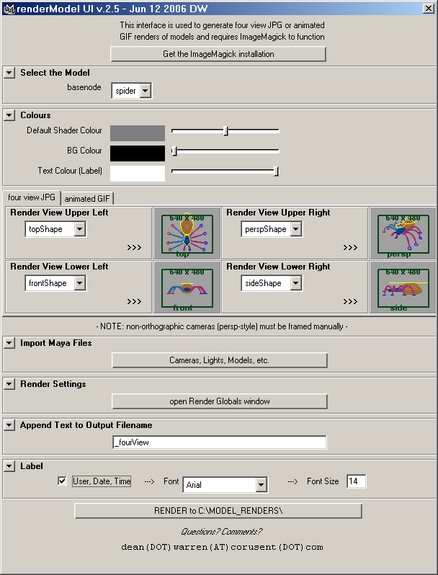
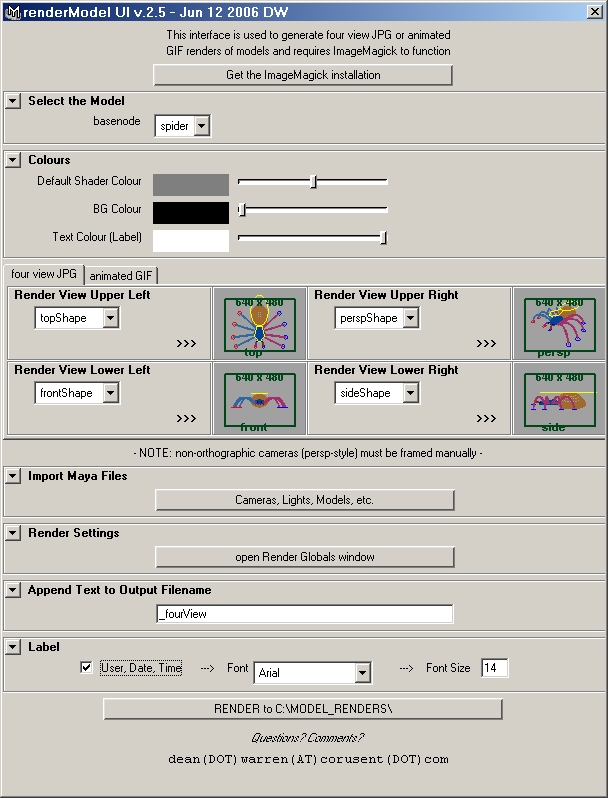
...and here's the GUI in "four view JPG" mode:

Comments, criticism, and questions are welcome via the Forum at the bottom of this page.
Update (02/20/06):
In an attempt to make this script useful to the Maya community, I have modified the code to accommodate Linux and OSX users as well. I don't have access to Linux and OSX versions of Maya, so I'm relying on my fading memories of Unix for what I think will work. As such, I'm asking that Linux and OSX users try this script out and post feedback to the renderModelUI Support Forum on this site. Thanks!
About the script:
This mel script generates a GUI which is used to automatically create 4-camera-view jpegs of models, ideally for web based approvals. The default setting for the GUI is a common top-persp-front-side layout. I've fashioned the GUI so that using it is fairly self-explanatory.
The script requires ImageMagick to work, and I have provided a button in the GUI that will take a user directly to the ImageMagick binaries download page when pressed. A reboot after an ImageMagick install is required.
If you want to install ImageMagick prior to launching the mel script:
Windows https://www.imagemagick.org/script/binary-releases.php#windows
Linux, OSX, Irix https://www.imagemagick.org/script/binary-releases.php#Unix
Due to the way the GUI works, users will be unable to generate cameras via Look Through Selected while the GUI window is open.
Save the script in the appropriate mel scripts folder:
Windows drive:Documents and SettingsusernameMy Documentsmayascripts
OSX Users/username/Library/Preferences/Alias/maya/x.0/scripts
Linux, Irix ~username/maya/scripts
Windows users of the previous version will notice the GUI colours have been removed, which was a necessity for cross platform compatibility.
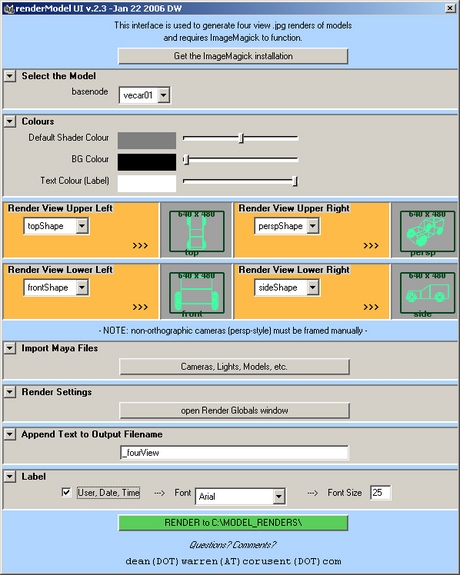
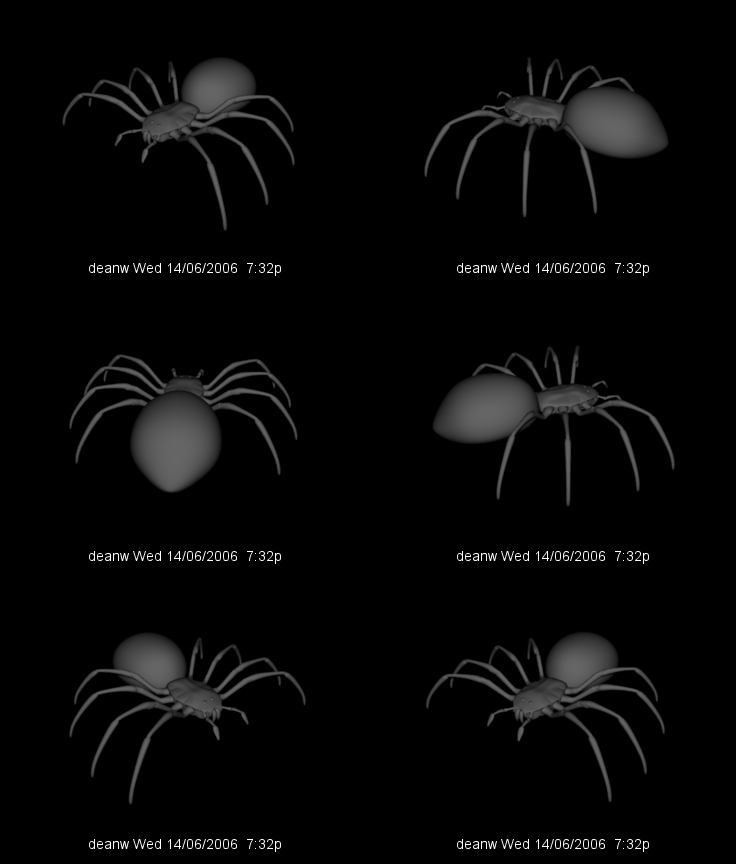
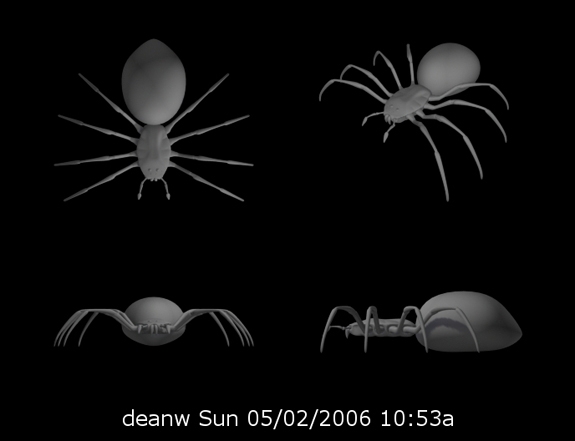
Below is a sample of the script's image output, with an imported simple model & set of lights, and all the script colour & camera options set at default.
Hope you find the script useful!

Added the ability to automatically generate animated GIFs via the interface. All GIFs produced are 60 frames in length, and are of the turntable variety. While you can make them whatever size you choose, I'd advise staying at 320x240 (or smaller). Also, the default colours in the interface produce the best results, as other colours cause colour artifacts in the output GIF (at least in my test with colour text labels, I have not tested textured models). GIFs are based on the persp camera only, and use a custom light generated by the GUI, ignoring all other lights in the scene. I find the GIFs produced play best in Firefox.
The GIF capability was mainly an experiment on my part, the practical value of it is yet to be determined. Certainly you wouldn't want to upload all your approval images as animated GIFs! But you may find circumstances where it's useful.
Here's an example animated GIF:
...here's what the GUI looks like in "animated GIF mode":

...and here's the GUI in "four view JPG" mode:

Comments, criticism, and questions are welcome via the Forum at the bottom of this page.
Update (02/20/06):
In an attempt to make this script useful to the Maya community, I have modified the code to accommodate Linux and OSX users as well. I don't have access to Linux and OSX versions of Maya, so I'm relying on my fading memories of Unix for what I think will work. As such, I'm asking that Linux and OSX users try this script out and post feedback to the renderModelUI Support Forum on this site. Thanks!
About the script:
This mel script generates a GUI which is used to automatically create 4-camera-view jpegs of models, ideally for web based approvals. The default setting for the GUI is a common top-persp-front-side layout. I've fashioned the GUI so that using it is fairly self-explanatory.
The script requires ImageMagick to work, and I have provided a button in the GUI that will take a user directly to the ImageMagick binaries download page when pressed. A reboot after an ImageMagick install is required.
If you want to install ImageMagick prior to launching the mel script:
Windows https://www.imagemagick.org/script/binary-releases.php#windows
Linux, OSX, Irix https://www.imagemagick.org/script/binary-releases.php#Unix
Due to the way the GUI works, users will be unable to generate cameras via Look Through Selected while the GUI window is open.
Save the script in the appropriate mel scripts folder:
Windows drive:Documents and SettingsusernameMy Documentsmayascripts
OSX Users/username/Library/Preferences/Alias/maya/x.0/scripts
Linux, Irix ~username/maya/scripts
Windows users of the previous version will notice the GUI colours have been removed, which was a necessity for cross platform compatibility.
Below is a sample of the script's image output, with an imported simple model & set of lights, and all the script colour & camera options set at default.
Hope you find the script useful!
Please use the Bug System to report any bugs.
Please use the Feature Requests to give me ideas.
Please use the Support Forum if you have any questions or problems.
Please rate and review in the Review section.
Please use the Feature Requests to give me ideas.
Please use the Support Forum if you have any questions or problems.
Please rate and review in the Review section.


